Thousands of security problems are reported every month. A handful are yours.
Tell CySec what you run. It reads the public security sources every few minutes and tells you, in plain words, which of it touches you — early enough to do something about it.
iPhone (iOS 26 or later) and Apple Watch (watchOS 26 or later)
What CySec is for
Four things, in this order.
To make you aware of your exposure. To teach you as you go, if this is new to you. To let you decide and act — or explain it to someone who will. And to be early, because most of the cost of a security problem is in the time before anyone notices it.
CySec does not assume you are a security professional. It never uses an acronym without explaining it, and never shows you a score without saying what the score means.
How it works
Three steps, and then it runs on its own.
-
Tell it what you run
Products — Windows, Chrome, a router, a firewall, a cloud service. If you write software, the libraries your code depends on, read from a lockfile or a bill of materials. That list is your environment.
-
CySec reads the world
Every few minutes: CISA's Known Exploited Vulnerabilities list, the National Vulnerability Database, the CVE programme, GitHub's advisory database, Microsoft's Security Update Guide including Patch Tuesday, vendor advisories and security news.
-
You hear about what touches you
Matching happens on your phone. The Radar shows what needs attention, in tiers. The Feed shows everything. Your wrist gets the same alerts, and you can mark something seen from the Watch.
The Radar
Four tiers, in the app's own words. Above them sits a threat level — Critical, High, Elevated, Guarded or Normal — with one sentence saying why.
-
Immediate action“You run it, and it is being attacked now.”
Something you run, confirmed by a credible source to be under active attack in the last two weeks, that you have not dealt with.
-
Review today“You run it, and CySec ranks it urgent.”
Yours, ranked high, but not confirmed under attack.
-
Changed since last view“Something about them moved since you last looked.”
An item you have already seen, where the facts have changed.
-
Watching“Near you, but not confirmed as yours.”
Close enough to your environment to be worth knowing about, without claiming it is yours.
What it looks like
Real screens from the app, running against live data.
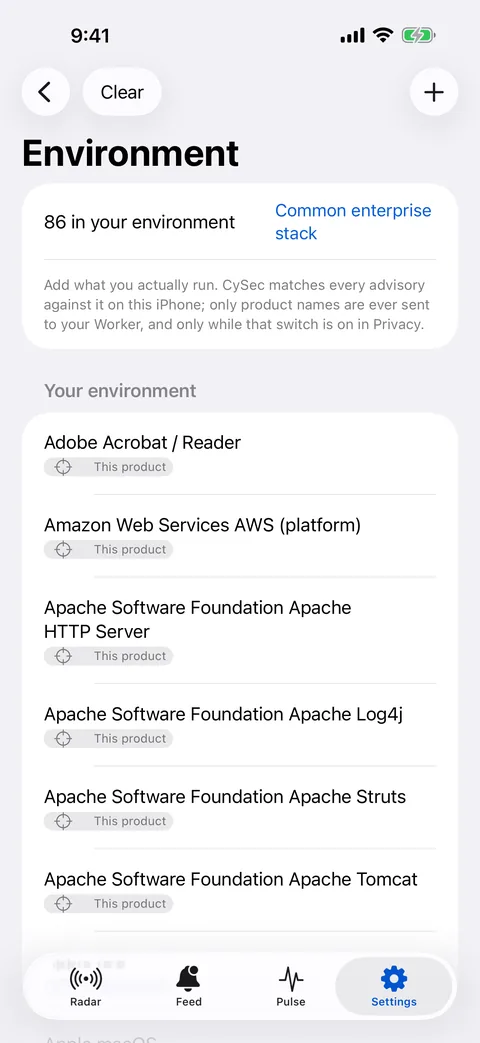
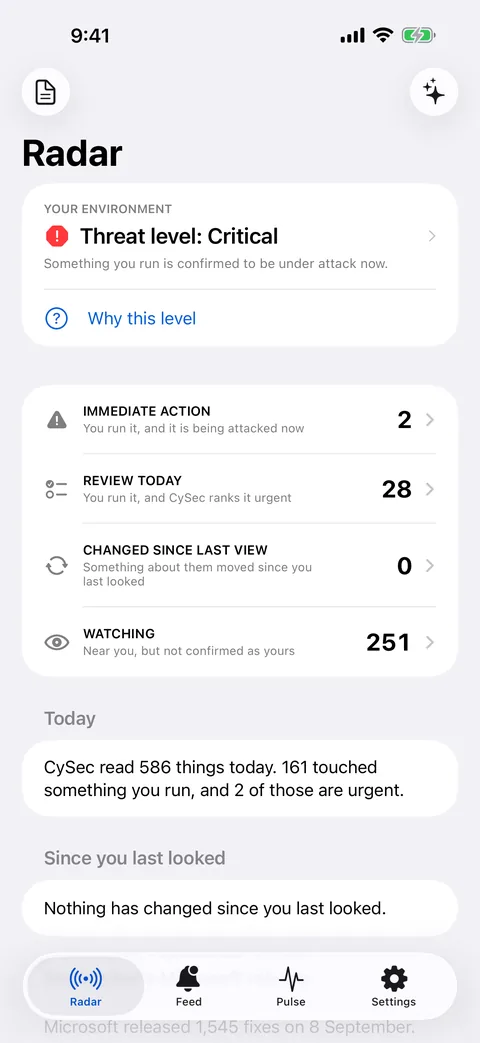
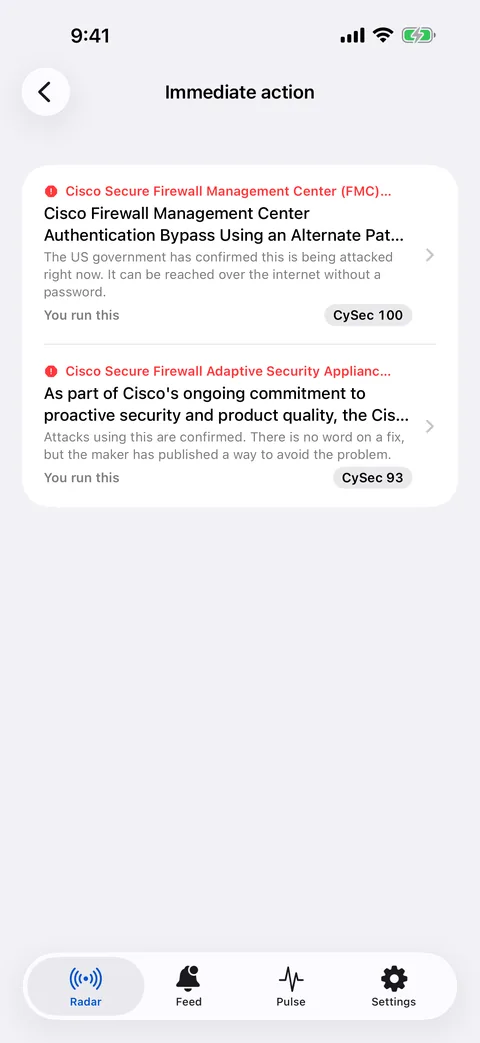
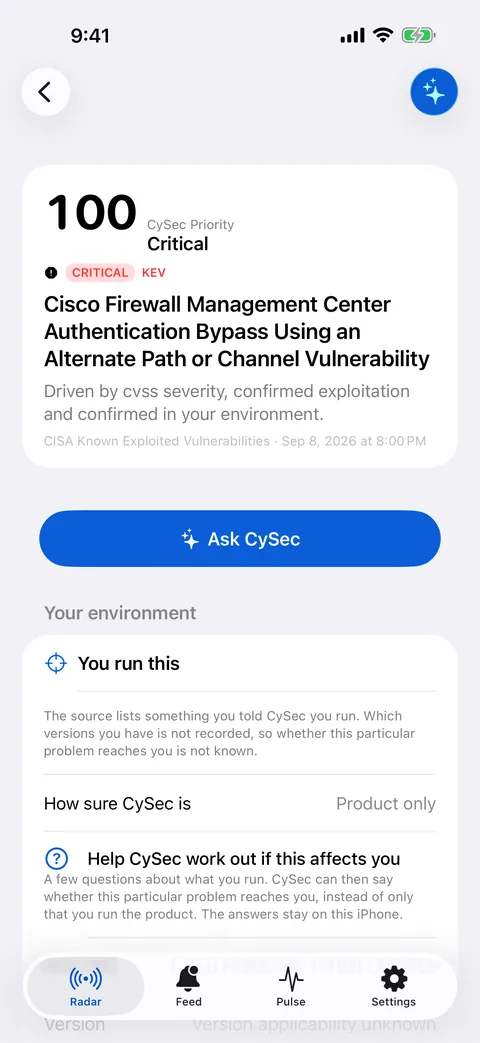
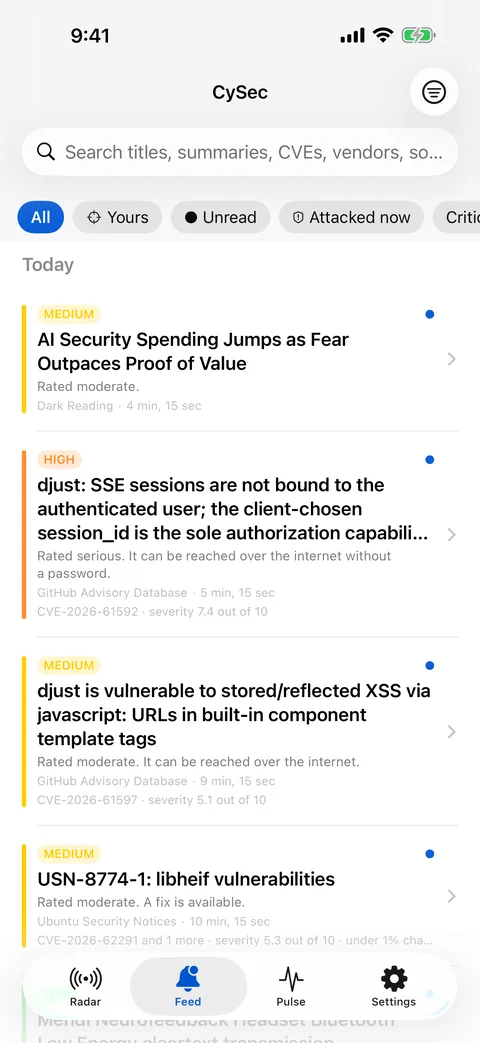
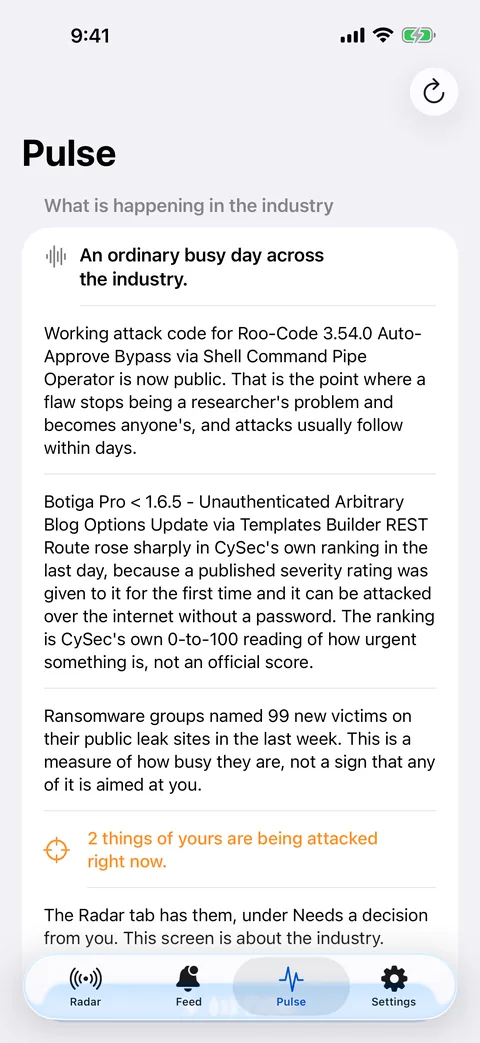
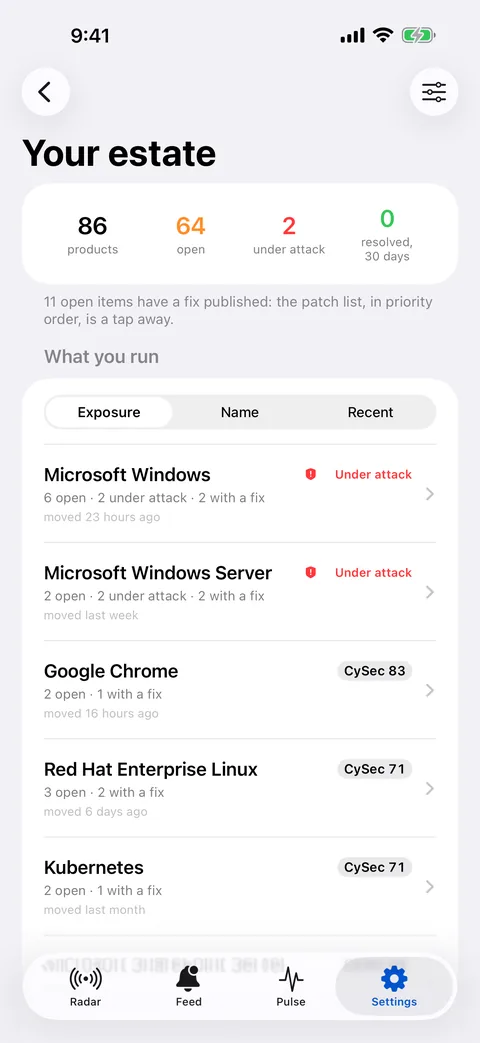
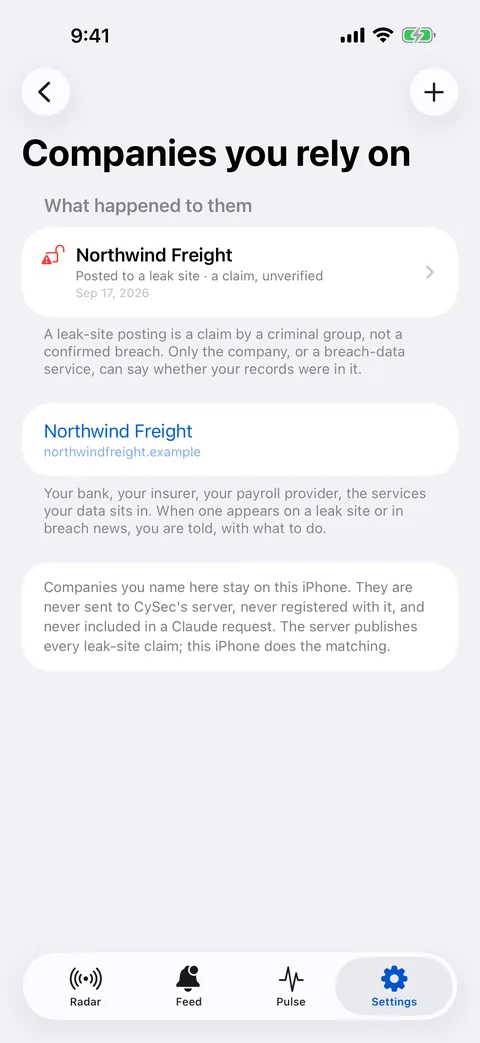
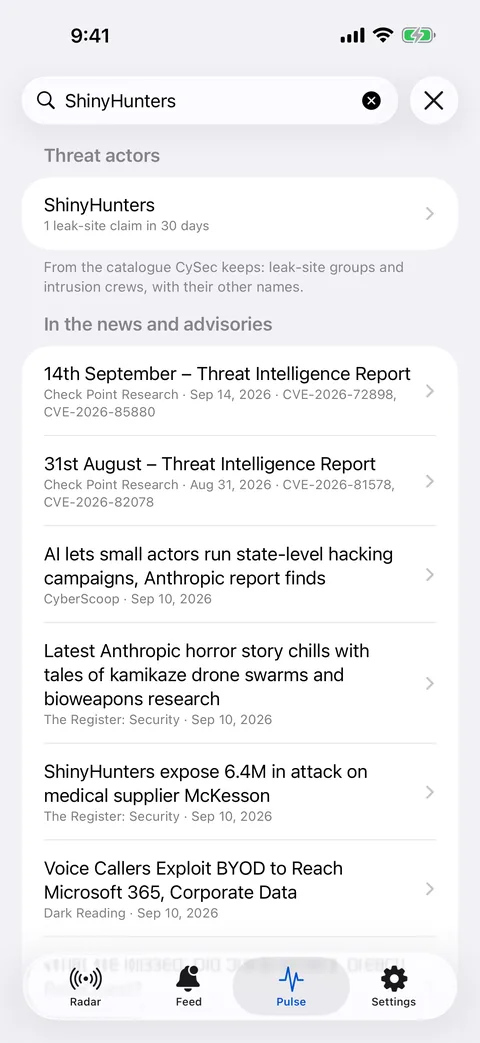
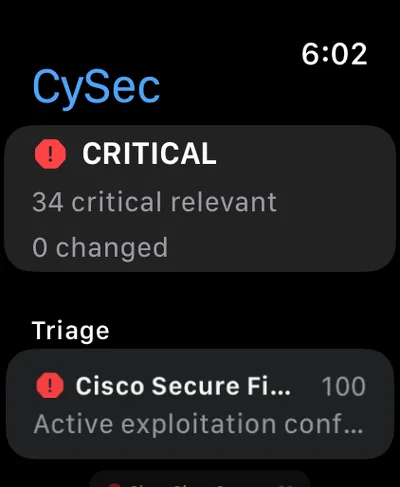
Captured on iOS 26 against a sample environment and a fictional company, not real ones.
Pulse and Ask CySec
Pulse
The world beyond your environment: what is being attacked this week, what just got a fix, what people in the field are talking about — whether or not it touches you, so you are never the last to know.
Ask CySec
Ask about any item and get an answer in plain language. It runs on your phone using Apple Intelligence; nothing leaves the device. You can optionally connect your own Claude account for longer answers — the app shows you exactly what it would send before it sends anything, and the feature is off until you turn it on.
What we know about you
Short version. The privacy policy is the long one.
- No account. No sign-in. We never ask for your email address.
- No analytics, no advertising identifiers, no trackers — in the app or on this website.
- Your environment, your notes and your decisions stay on your phone.
- If you turn on environment sync so alerts can be pushed to you, our server learns the names of the products you run, and nothing else — never versions, never your components, never anything you typed.
- Turn sync off and your phone does all the matching itself. Then the server knows nothing about what you run.
- We do not sell, rent or share any of it.
Price
$4.99 a month
$39.99 a year
Seven-day free trial first. One subscription covers iPhone and Apple Watch. Billed through Apple; it renews unless you cancel at least 24 hours before the period ends, and you can cancel any time. Prices are US dollars; Apple sets the rest.
One honest limit
CySec tells you what is publicly known. It does not stop attacks, patch anything, or promise you are safe — you or your IT team act on what it shows you. Public sources are sometimes wrong and sometimes late, and where CySec knows that, it says so.